
In Temple Run 2 for the Android and iOS systems (iPhone, iPad, etc.), you can use powerups at certain increments when you get a certain number of coins in a single run.
The first powerup is available when you get 200 coins, and then 300, and so on, however you must use the powerup in order for the counter to reset. You can also put coins into the Power Meter ability to speed up the speed in which you get to use powerups.
You must first set a powerup from the ones you have unlocked. Go to Upgrades and press Powerups.
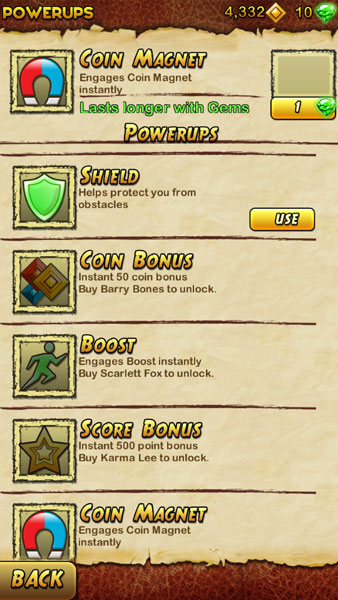
Your current powerup will be listed at the top, and any powerup you have unlocked that isn’t currently selected will have a Use button available. Press Use to activate that powerup. You can only have one powerup active at a time.
Once you fill up the Power Meter on the left side of the screen by collecting the right number of coins, you’ll be able to activate the powerup.

Once a powerup is available to use, just double tap on the screen to enable it.
Check Out Our Other Temple Run 2 Tips!
Make sure to check out our other Temple Run 2 tips, and especially our guide to Temple Run 2 longer runs and higher scores.
